Upload your own mockup templates, add your own designs, and generate thousands of ready-to-sell product images in minutes — no Photoshop needed.

Bulk Mockup Creator is a browser-based bulk mockup generator designed for custom product sellers — t-shirts, sweatshirts, mugs, tote bags, and more — as well as Etsy shops and e-commerce businesses of all sizes.
Instead of placing each design onto a product photo manually in Photoshop, you define the placement area once — and the platform applies every design automatically, generating hundreds of ready-to-use product mockup images in a single session. No Photoshop. No software download. No monthly subscription.

Generate hundreds of mockups in one session, not one at a time.

Define placement, size, and rotation per mockup template.

What takes hours manually takes minutes with batch automation.

No design experience needed. Works on any device, any browser.
No Photoshop. No design skills. Just upload your own mockup templates, add your designs, and let the system do the heavy lifting.
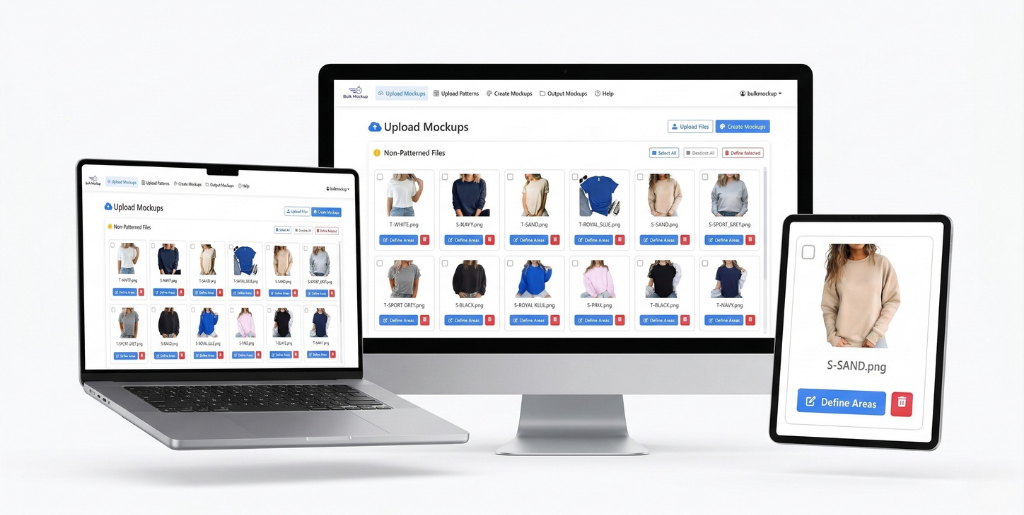
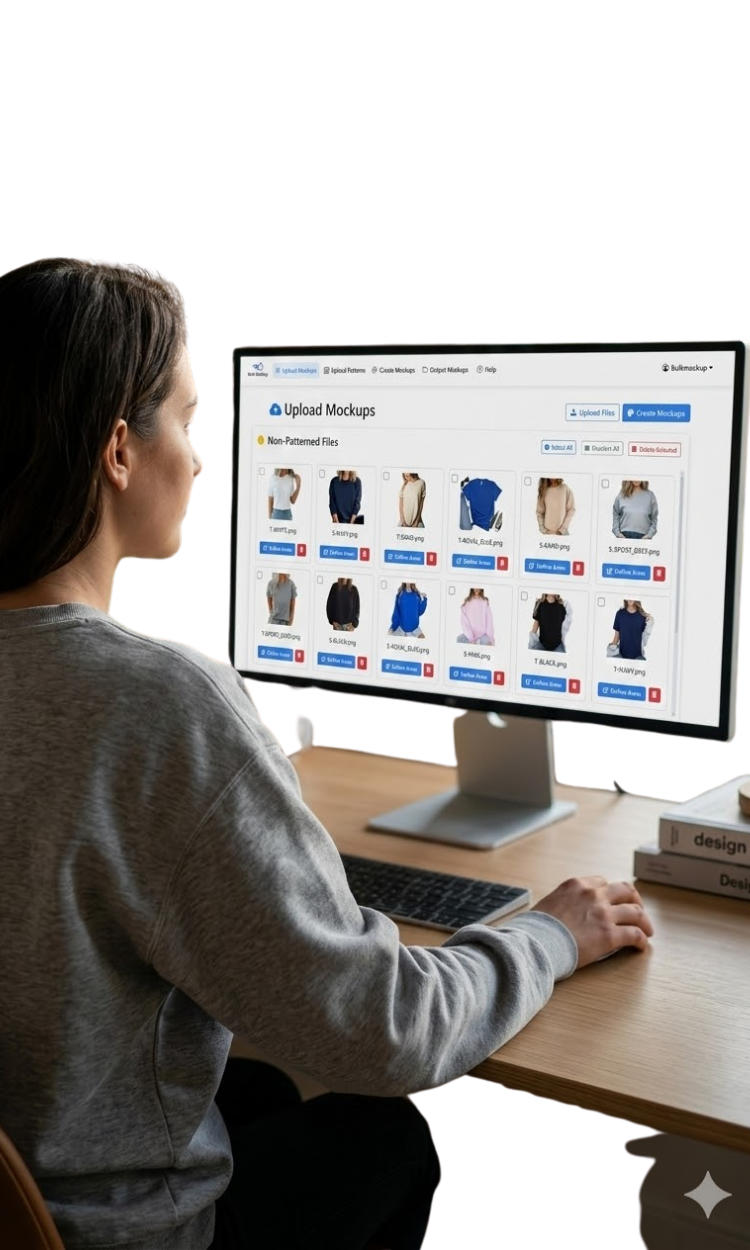
Upload your own mockup image — a t-shirt flat lay, a mug photo, a tote bag, anything you shoot or source. Then use our visual editor to define exactly where your designs should go. Drag, resize, and rotate to fit perfectly.
Upload 10, 100, or 1,000 design files at once. Every design you upload will be automatically placed onto your mockup template. Supports PNG, JPG, and transparent backgrounds.
One click. The system generates a unique product mockup for every single design — automatically. Download everything in organized folders, ready to list on Etsy, Shopify, Amazon, or post on social media.
Built specifically for high-volume mockup creation — not adapted from a general design tool.
Don’t settle for generic templates. Upload your own PSD-quality mockup files and pair them with unlimited design variations to create a truly unique product catalog.
Works entirely in your web browser. No Photoshop license, no plugin, no installation required. Access your account from any device, anywhere.
Generate hundreds of product mockups in a single session. Upload once, create endlessly. The time you save compounds with every design you add.
Mockups are automatically sorted into organized folders by product. Download everything in one click, ready to upload to your store without renaming or sorting.
Place up to 3 different designs on a single product mockup template simultaneously — main pattern, secondary, and tertiary areas all in one run.
No monthly subscription fees. Buy credits when you need them and use them at your own pace. See full details on our pricing page.
Trusted by sellers and creators who can’t afford to spend hours making product visuals one by one.
Manage large product catalogs across multiple designs.
Create all your listing mockups in one session instead of one at a time in Photoshop.
Apply your designs to t-shirts, hoodies, tote bags, and more at scale.
New collection launches no longer take days of manual work.
Keep your product listings fresh with new visuals without spending money on a Photoshop subscription or hiring a designer for every update.
Deliver client mockup packages faster.
Generate complete presentation sets for multiple clients in the time it used to take for one.
The only tool built specifically for bulk, automated mockup generation — not a general design tool with mockup features bolted on.
| Feature | Bulk Mockup Creator ★ Best | Placeit | Canva | Photoshop Plugins |
|---|---|---|---|---|
| Batch / Bulk Processing | ✓ Unlimited | ✗ One at a time | ✗ Not available | ~ Requires Photoshop |
| No Photoshop Required | ✓ 100% Browser | ✓ Online | ✓ Online | ✗ Photoshop needed |
| No Software Download | ✓ Nothing to install | ✓ Online | ✓ Online | ✗ Plugin + Photoshop |
| Use Your Own Product Photos | ✓ Yes | ✗ Library only | ~ Limited | ✓ Yes |
| Pay-Per-Use (No Subscription) | ✓ Credits only | ✗ Monthly plan | ✗ Monthly plan | ✗ + Photoshop cost |
| Define Pattern Area Once, Reuse Forever | ✓ Yes | ✗ Every time manually | ✗ Every time manually | ~ Partial |
| Multiple Design Areas per Mockup | ✓ Up to 3 areas | ✗ No | ✗ No | ~ Depends |
| Commercial License Included | ✓ All plans | ✓ Yes | ~ Paid plans only | ~ Depends |
| Works on Any Device | ✓ Yes | ✓ Yes | ✓ Yes | ✗ Desktop only |
| Start Free → |
Need help choosing? Read our FAQ or contact us.
No monthly subscription. No hidden fees.
Buy credits and use them whenever you need — they don’t expire. View full pricing details →
| Package | Credits & Value | Price | Get Started |
|---|---|---|---|
|
🚀
Starter Pack
40 credits — 40 mockups
$0.25 per mockup
|
40 credits — creates 40 mockups $0.25 per mockup | $10 one-time | Buy Starter → |
|
✨
Golden Pack
⭐ Most Popular
250 credits — 250 mockups
$0.20 per mockup Save 20%
|
250 credits — creates 250 mockups $0.20 per mockup Save 20% | $50 one-time | Buy Golden → |
|
💎
Premium Pack
💎 Best Value
600 credits — 600 mockups
$0.167 per mockup Save 33%
|
600 credits — creates 600 mockups $0.167 per mockup Save 33% | $100 one-time | Buy Premium → |
|
🏢
Enterprise Pack
2,000 credits — 2,000 mockups
$0.10 per mockup Save 60%
|
2,000 credits — creates 2,000 mockups $0.10 per mockup Save 60% | $200 one-time | Buy Enterprise → |
|
🚀
Agency Pack
⚡ Best for Agencies
6,000 credits — 6,000 mockups
$0.083 per mockup Save 67%
|
6,000 credits — creates 6,000 mockups $0.083 per mockup Save 67% | $500 one-time | Buy Agency → |
Everything you need to know before you start. More questions? Visit our full FAQ page.

Bulk Mockup Creator is a browser-based tool that automates the process of placing your designs onto product photos. Instead of doing it manually one by one in Photoshop, you define the placement area once, add all your designs, and the system generates every mockup automatically. It’s built specifically for sellers who need high-volume product image creation — such as Etsy sellers, Amazon sellers, and e-commerce stores.
No. Bulk Mockup Creator works 100% in your web browser. There’s nothing to download, install, or configure. You don’t need a Photoshop license or any design experience. Just create an account, upload your files, and start generating mockups.
There’s no hard limit per session. You can upload as many design files as you want and generate all corresponding mockups in one run. Each mockup generated uses one credit from your account balance. The more credits you have, the more mockups you can create. Buy credits here.
Yes. You can sign up for free and receive 50 free credits to test the platform with your own files before purchasing a credit package.
No. Credits do not expire. Once you purchase a credit package, they remain in your account until you use them — no pressure, no monthly resets.
Most mockup tools — including Placeit, Canva, and Media Modifier — create one mockup at a time using their own template library. Bulk Mockup Creator is different in two key ways: (1) you use your own product photos, so your mockups are unique to your brand, and (2) it’s built specifically for batch processing, meaning you can generate hundreds of mockups in the same time it would take you to make one manually. It also uses a pay-per-use model instead of a monthly subscription.